
If you would like to permanently delete your account, please follow the steps below.
Attention: Once your account is deleted, all associated data will be permanently removed and cannot be recovered.
How to Delete Your Account
Log in to the Web App: Go to our official web application and sign in using your account. (You can use the same account credentials as the mobile app.)
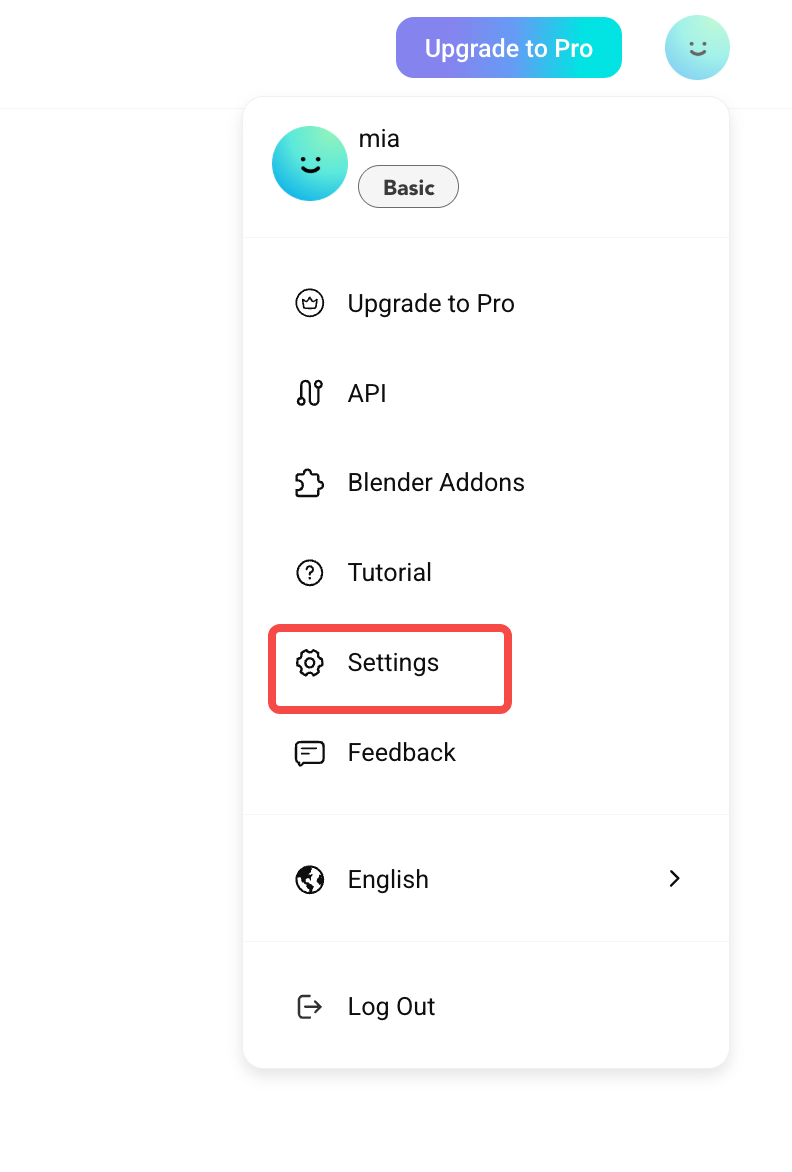
Open Account Settings: After logging in, click your profile avatar in the top-right corner. In the dropdown menu, select "Settings".
Delete Your Account and Confirm
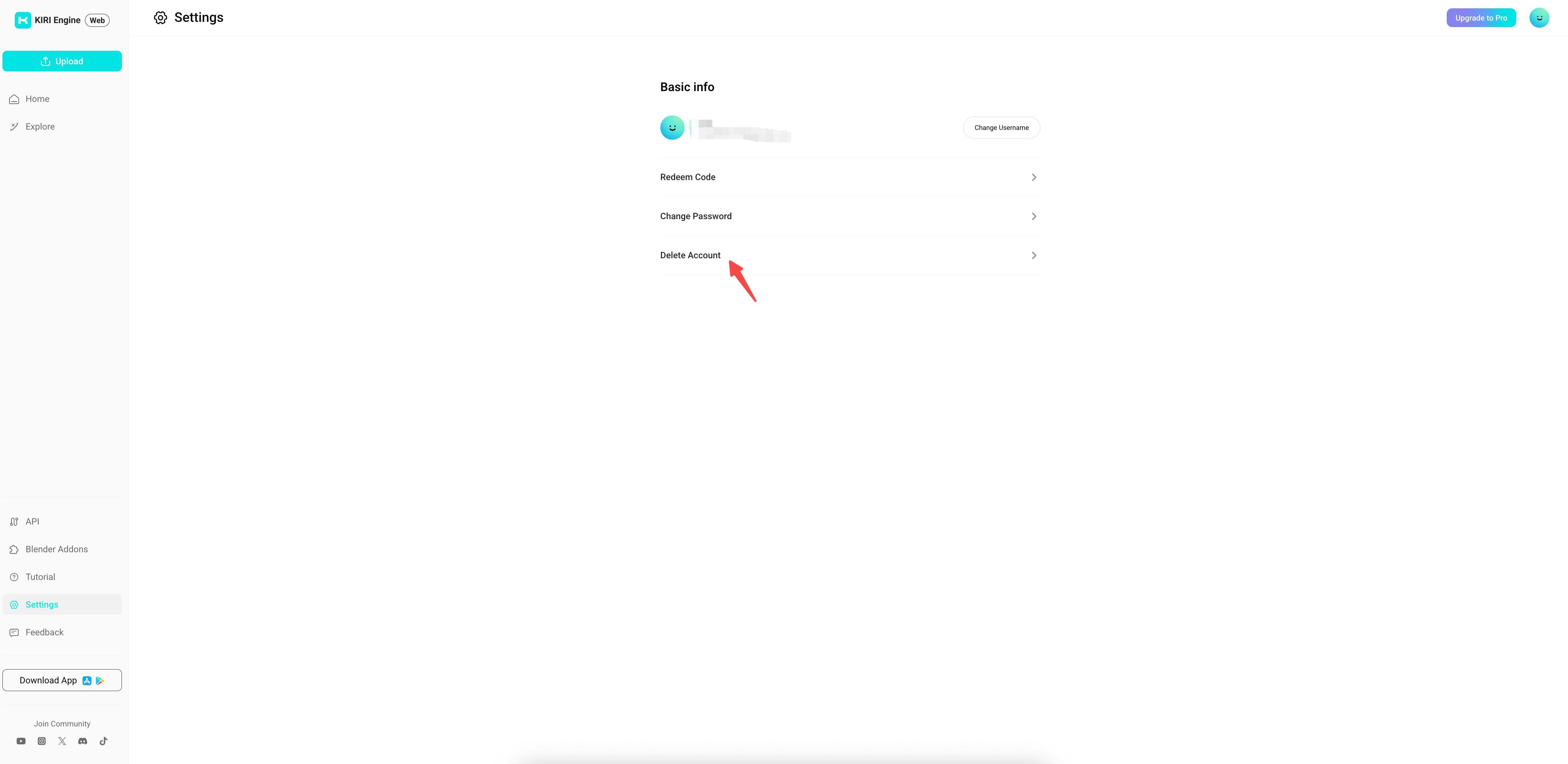
Click on "Delete Account" to enter the account deletion page.
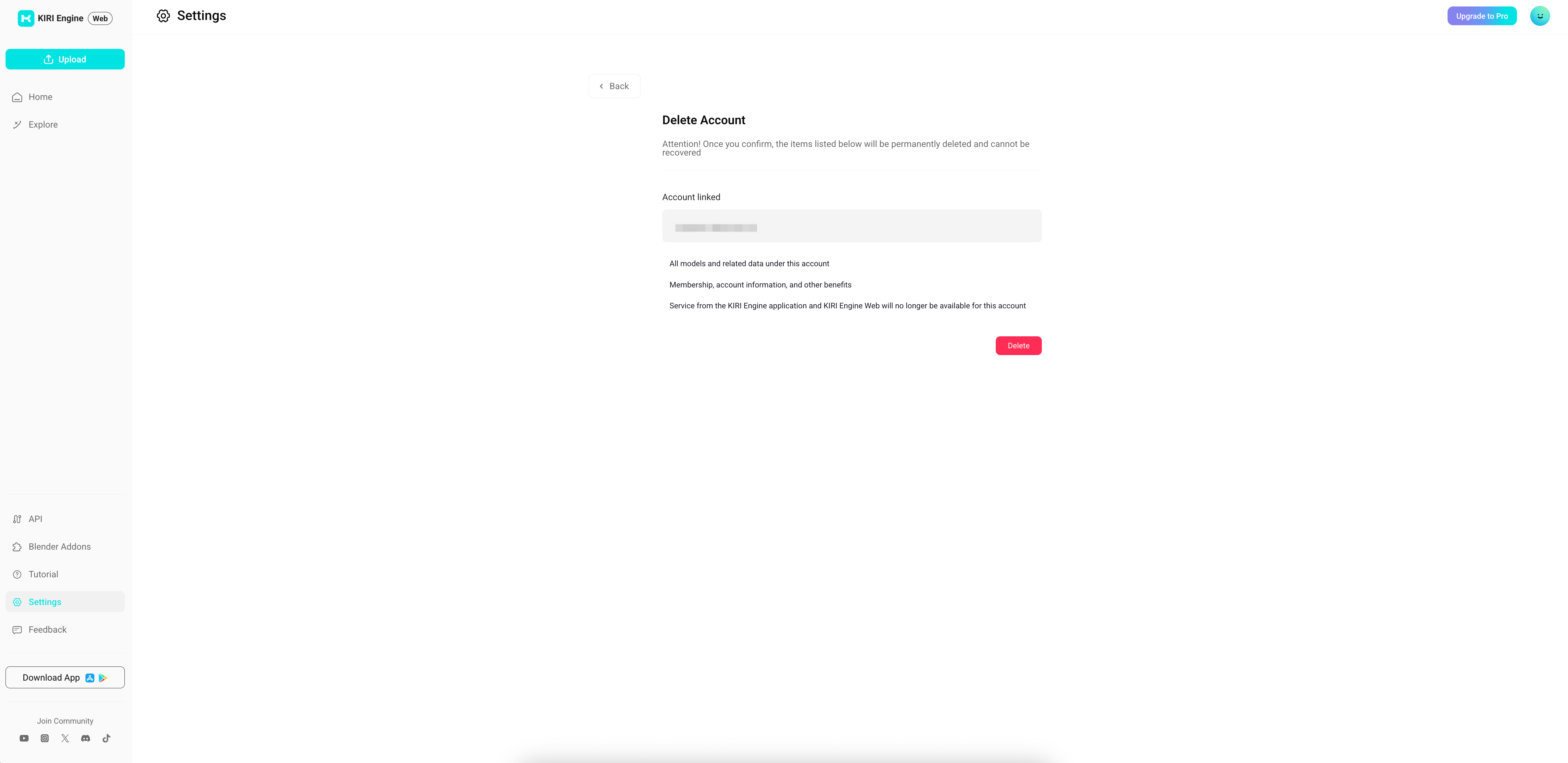
Follow the on-screen instructions to complete the deletion process.
What Happens After Deletion
- All models and related data under your account will be permanently deleted
- Your membership, account information, and benefits will be removed
- Access to the KIRI Engine App and KIRI Engine Web will no longer be available





